Business Card Mockup: A Designer's Secret Weapon
You’ve poured hours into a design. The colors are perfect, the typography is crisp, the layout is balanced. But when you send the final JPEG to a client, they see a flat image on a screen. It lacks context, scale, and that tangible feeling of a finished product. This is where a high-quality Business Card Mockup transforms the game. It’s not just a template; it’s a professional presentation tool that bridges the gap between your digital file and the real-world object it will become.
More Than a Pretty Picture
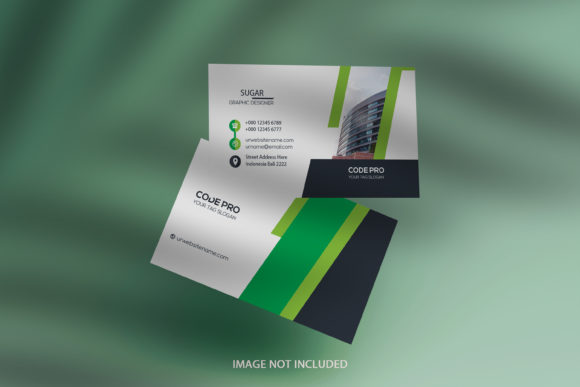
At its core, this Business Card Mockup is a photorealistic scene. Imagine a beautifully styled desk, perhaps with a sleek laptop, a potted plant, and some scattered pencils. In the center, your business card design sits at a slight angle, catching the light just so. The texture of the cardstock is visible, and the shadows are soft and natural. This isn't a sterile studio shot; it's a lifestyle image that tells a story. It communicates professionalism, attention to detail, and a modern aesthetic before anyone even reads the contact information on the card.
The real magic, however, lies in its technical construction. Delivered as a layered Photoshop PSD file, it’s built around a smart-object layer. This is the engine that makes customization effortless and flawless. You don’t need to worry about warping, perspective distortion, or manual adjustments. The mockup is designed to do the heavy lifting for you.
How This Mockup Elevates Your Workflow
The process is famously simple, yet the results look anything but. After opening the PSD file in Photoshop, you simply double-click the smart object layer thumbnail. This action opens a separate, editable window. You paste your own artwork—whether it’s a business card design, a canvas print, or a photograph—into this window. Save it, and watch as the main mockup scene instantly updates. Your design seamlessly conforms to the surface, adopting the lighting, shadows, and perspective of the environment.
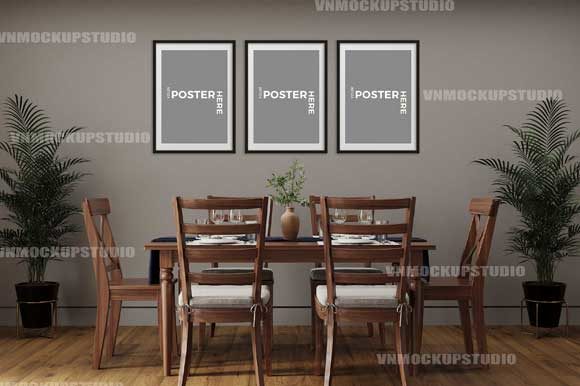
This feature is particularly powerful because the frame/canvas automatically adjusts to the size and the ratio of your artwork image. You’re not locked into a single aspect ratio. Whether you’re presenting a standard 3.5” x 2” business card, a square Instagram post, or a wide panoramic photo, the mockup adapts. This flexibility makes it an indispensable part of a designer's toolkit, saving countless hours that would otherwise be spent on manual compositing.
Practical Applications Across Industries
The value of this Business Card Mockup extends far beyond graphic designers. Its versatility makes it a critical asset for a wide range of professionals and creators.
- For Brand Strategists & Marketers: Use it to create cohesive brand identity presentations. Showcase a logo, business card, and letterhead together in a unified scene to give clients a full vision of their new brand in action.
- For Entrepreneurs & Small Business Owners: Before you order a thousand printed cards, see exactly how your design will look in a real-world setting. Test different color schemes or logo placements in context to make confident decisions.
- For Bloggers & Content Creators: Elevate your affiliate content or sponsored posts. Instead of a flat product image, present a beautifully styled scene that increases perceived value and engagement. It’s perfect for "shop the post" features or showcasing your own merchandise.
- For Photographers & Artists: Display your canvas prints or photo series as they would appear on a client’s wall. This helps potential buyers visualize the art in their own space, which is a powerful sales tool for any online shop.
- For Social Media Managers: Create scroll-stopping graphics for platforms like Instagram and Pinterest. A realistic mockup adds depth and professionalism to your social media graphics, helping your posts stand out in a crowded feed.
Maximizing Your Design Impact
To get the most out of this asset, consider a few practical tips. First, pay attention to the lighting and color temperature of the mockup scene. Ensure your design’s colors complement the environment for a harmonious result. A bright, airy mockup might work better for a minimalist design, while a darker, moodier scene could suit a luxury brand.
Second, use it for more than just a single item. The high-resolution PSD file above 3000×2000 pixels in RGB mode means you have plenty of room to work with. You can crop in for detailed shots of your logo or pull back to show multiple items in a branding suite. This allows you to create a variety of marketing materials from a single source file.
Finally, think about your audience. The style of the mockup should align with your brand’s personality and the expectations of your clients. A clean, modern interior speaks to a tech-savvy or corporate audience, while a rustic, textured scene might appeal to a craft or artisan market. Choosing the right context is key to effective visual storytelling.
This Business Card Mockup is more than a freebie; it’s a professional-grade design asset that empowers you to present your work with confidence and clarity. It removes technical barriers, allowing you to focus on what you do best: creating outstanding designs. By integrating it into your process, you enhance client communications, strengthen your portfolio, and ultimately, make your creative work resonate on a deeper, more tangible level.